Can't create subfolder
If the user needs to create subfolders within the root folder or any other folder, he needs the create_subfolder permission set on that root folder.
How to modify permissions on the target folder
|
1 |
Select the folder where the permissions should be adjusted, open the context menu [
|
|
|||||||||||||||
|
2 |
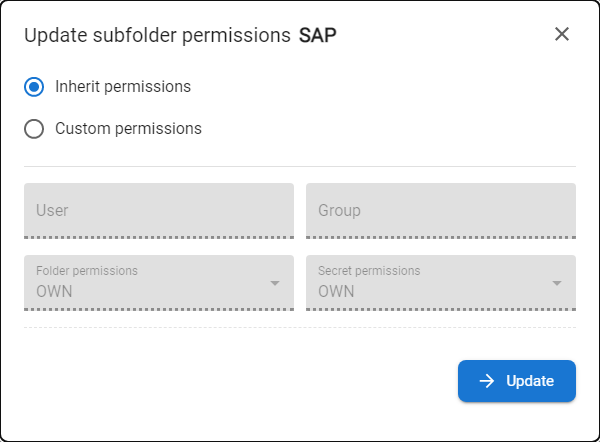
The modal window with the permissions is displayed. |
||||||||||||||||
|
3 |
Permissions could be Inherited from the parent folder or specified as Custom. Available permissions:
|
||||||||||||||||
|
4 |
Adjust permissions and press the UPDATE button. |

How to create the subfolder
|
1 |
Select the folder where the new subfolder should be created, open the context menu [ |
|
|
2 |
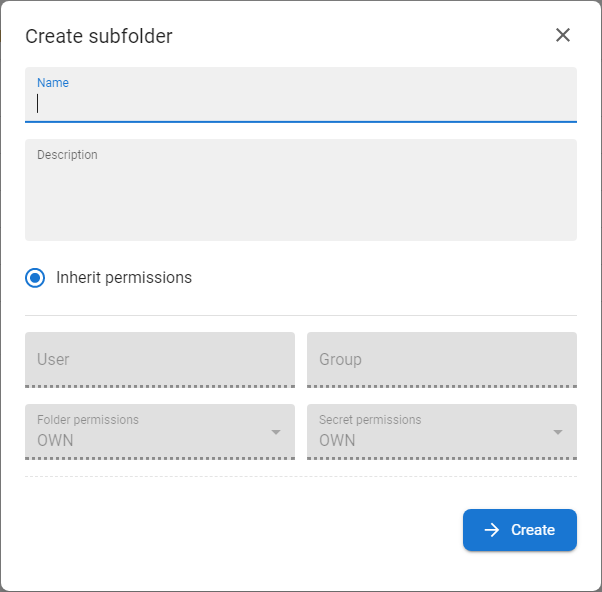
The modal window with the details of the folder is displayed. |
|
|
3 |
Fill in the Name and optionally the description. |
|
|
4 |
Choose whether the permissions should be inherited from the parent folder or specified custom permission and press CREATE.
|