
SMS Token
SMS token is a way of verifying the user's identity by means of a sms message. If the user has enrolled this token, when asked to enter the one-time-password (OTP) when logging into the application, the user receives a sms with OTP that needs to be entered into the system. If the OTP is entered correctly, the user's identity is verified and the login occurs.
SMS token enrollment process
1
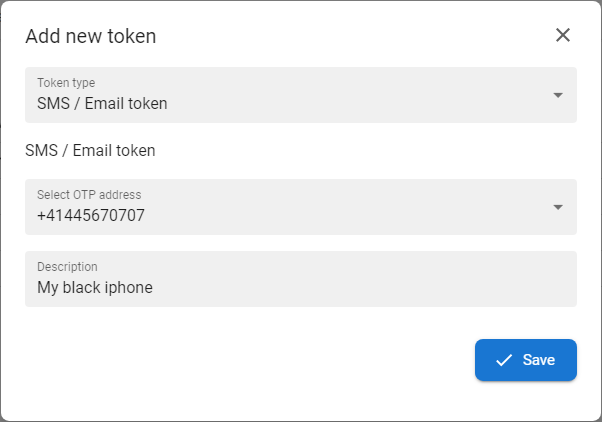
Choose the SMS token template from the Token type drop down menu
2
Select the phone number
3
Optionaly insert Description of the token
4
Press SAVE button to finish the enrollment and to activate of the token.
SMS token test process
1
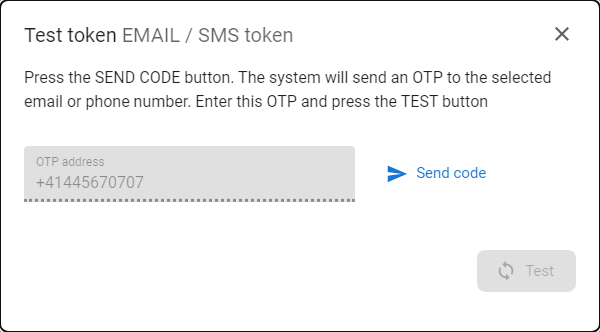
Press the SEND CODE [  ] button.
2
The system will send OTP to defined mobile phone.
3
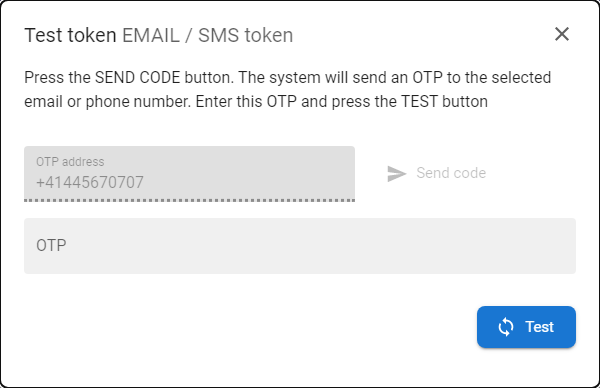
Insert received OTP to the OTP field and press button TEST - if the OTP is correct then the message about successful test will be displayed.