
Release Notes
Latest Releases
2025
October 29, 2025
User Interface Elements
Information header dismissal
We have added an option for the users that can permanently hide individual information banners. This can be reverted by resetting the user preferences in the profile.

October 6, 2025

User Interface Elements
Entity status was re-done as a system-wide update to help with consistency and to also show if the user action is necessary at the moment.
September 16, 2025

Access Management - Operations - Invitations superadmin
We have added an option for admins to see all invitations created in a tenant. In the table you can see invitation details (name, email, phone, etc.) as well as the user who created the invitation. The reason for this: When an invitation creator is away or cannot access their account, the invitation cannot be updated nor seen by other users who might need it.
Timezone system adjustments
We have redefined how the system handles the timezones. The system used to work on the Swiss time, regardless of where the user was, now the system adapts to the user's timezone (and summer/winter time) and provides relevant information. This can have beneficial effects on certificate management and overall understandability of the time accurate information.
User Interface Elements
Object Interlinking
We have introduced changes, that eliminate unnecessary steps in users' workflow. When looking at detail that contains other entities in the system, the option to click them as a link to said entity was added, without the need to go to the related part of the system and search for them.
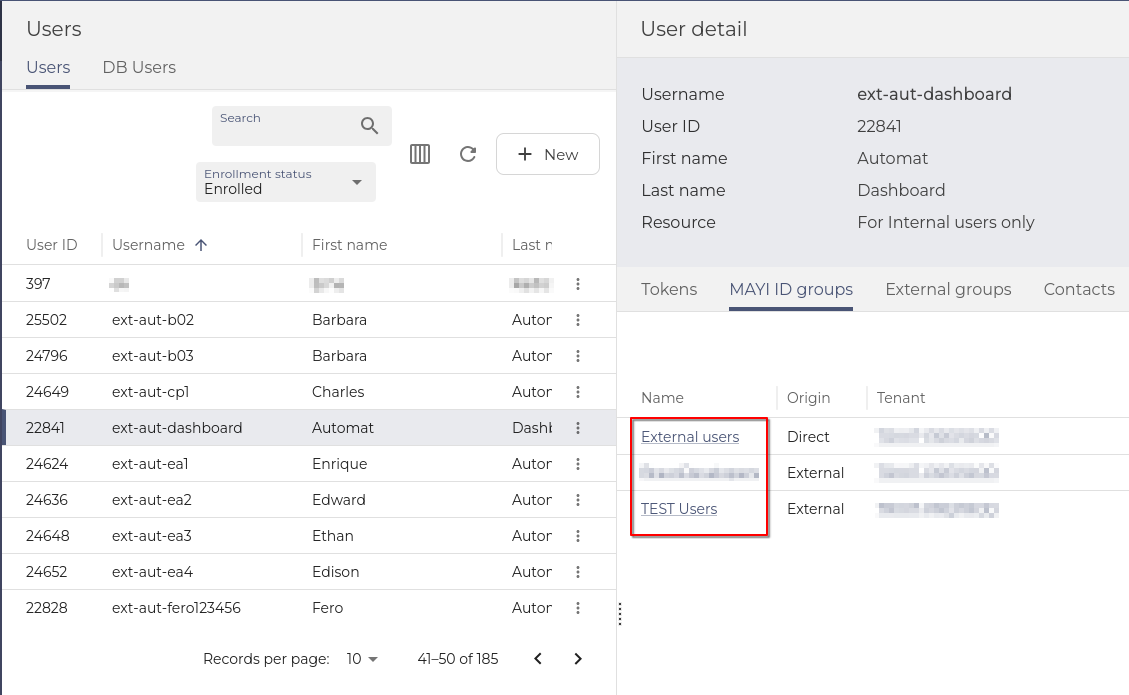
With RBAC and privileged access in mind, users can see the links only for entities, they have privileges to.
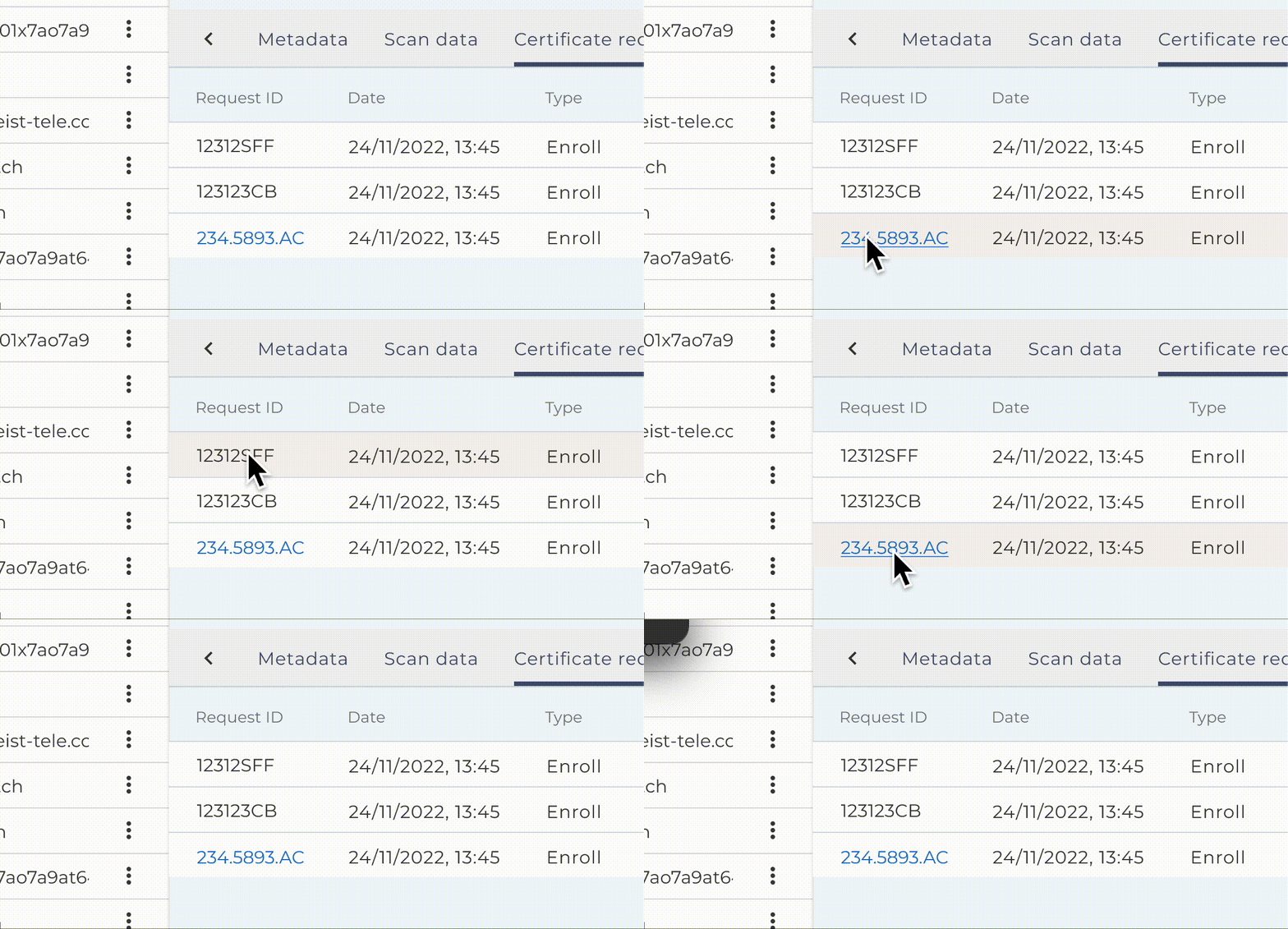
Invitations unification
Changes were made, so the table columns in My Invitation in SelfService looks the same as All Invitations in Operations.
August 26, 2025

Vault - linking the entities
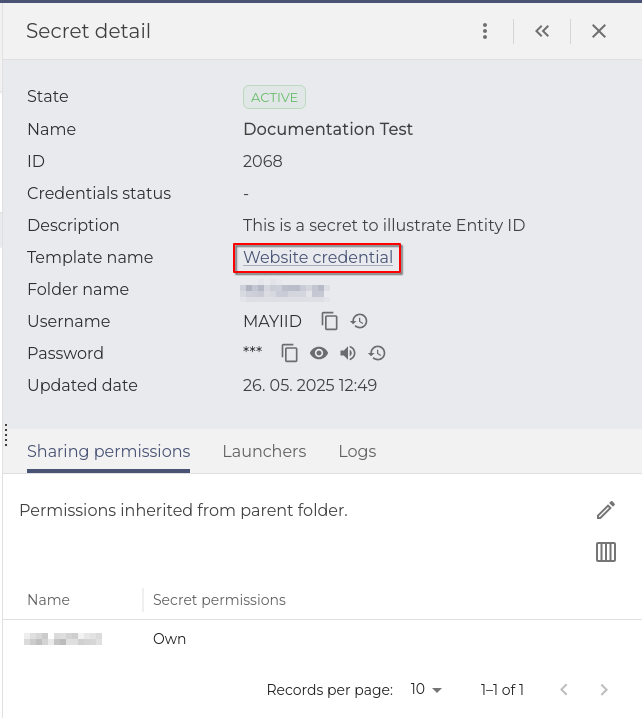
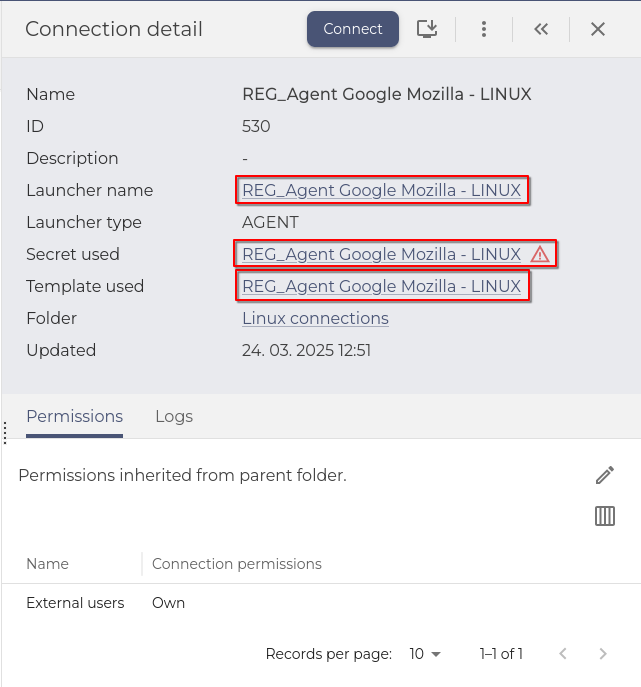
When in Vault, users can now use the full potential of interlinked objects in the Vault. In Secret's Detail, templates or connections can be clicked as links to the entities of the system. This eliminates the need to search for templates, connections, etc. to find out the properties of the linked items.
 |
 |
vSEC device functionalities decommissioned
All vSEC functionalities were decommissioned in this release.
Tenant Admin Console (TAC) + Dashboard - Default icons for applications
Application icons were added to represent the MAYI ID applications and miscellaneous (Keycloak, Safewalk, ...). The icons are corresponding to the left menu icons.
User Interface Elements
Filters and the action bar changed to stick to the top of the table
We have enhanced the experience with tables with many entries. Filtering and control elements now stick to the top part of the table when the user scrolls down the table.
Dashboard widgets were polished
Dashboard creation was enhanced with better descriptions, and the widgets default width and height were changed to fit the dashboard screen better. Paging of the widgets was redefined from rows per page to records per page. Those changes should provide cleaner dashboards with more intuitive creation.
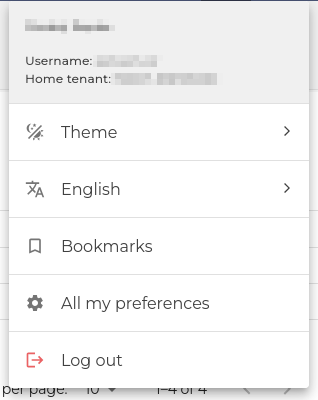
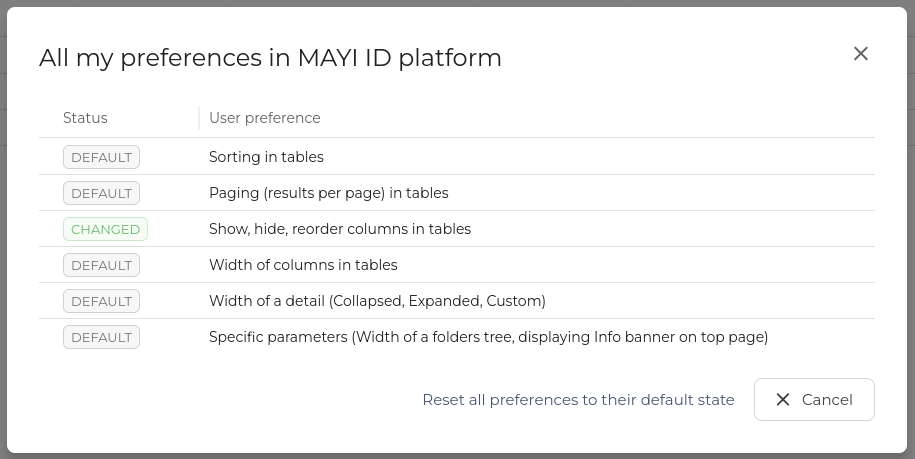
Global reset of user preferences
In the previous release, we introduced table column customization and a reset mechanic. It was decided to also introduce a global reset option that can be found in the Profile section of the top bar. In the section All my preferences. Users can also see what type of changes they have made to their tables.
Checkboxes and selectors consistency
When selecting checkboxes, radio buttons, or switches, users can now also click the text to make a selection, not just the selector.
July 15, 2025

Enrollment — Security questions flow unification
Adding security questions in the enrollment process was changed to be the same as in Selfservice, unifying the workflow and not confusing the user with two methods for the same process.
User Interface Elements
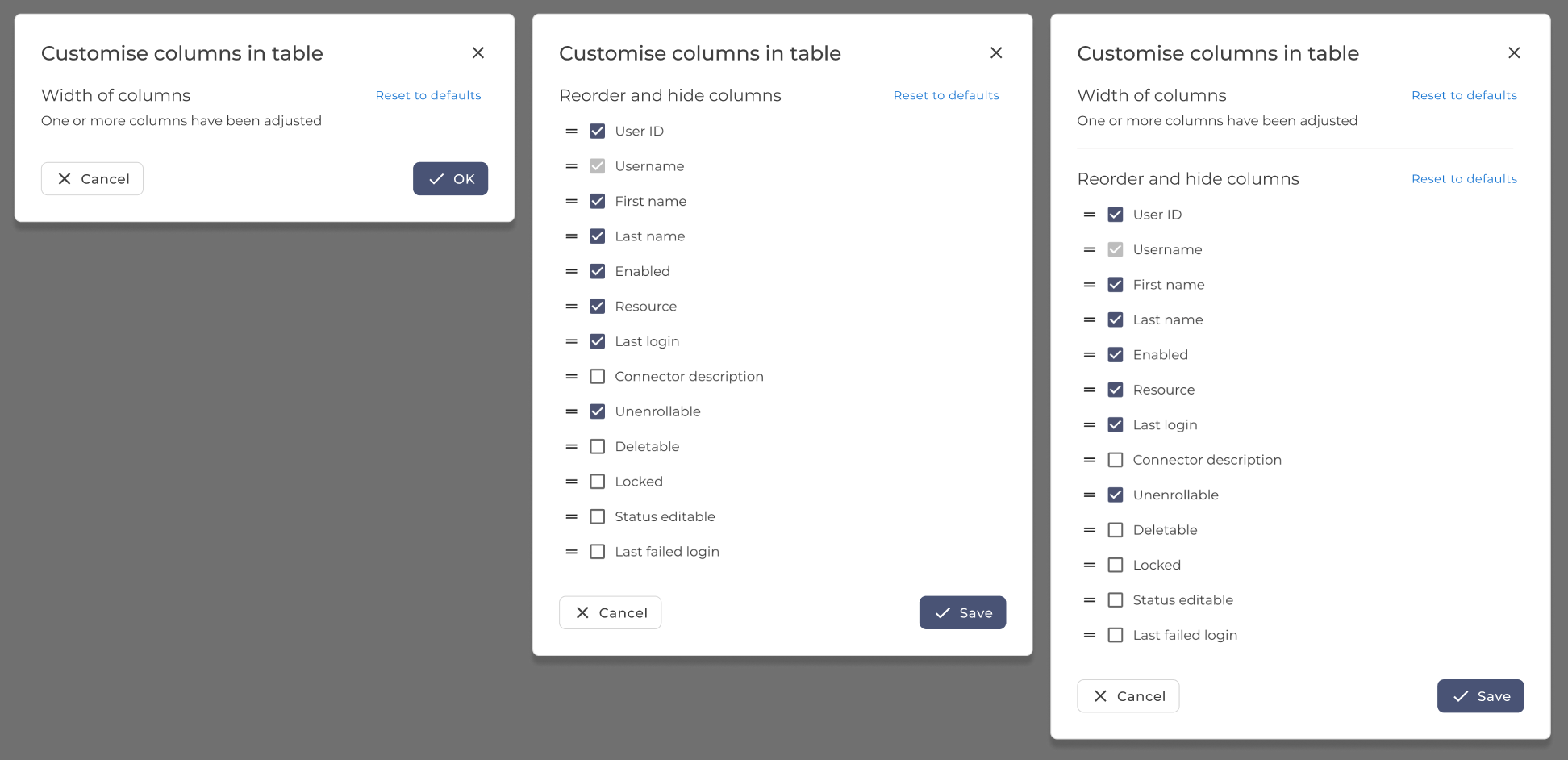
Table column customization changes and reset
The option to reset user column changes (column width) was added, and in the case of the table with customizable columns, also hidden and reordered columns can be reset to defaults.
Expandable drawer persistence changes
The expandable drawer size is now consistent for each page separately. Making the customization more useful for more uses and applications.
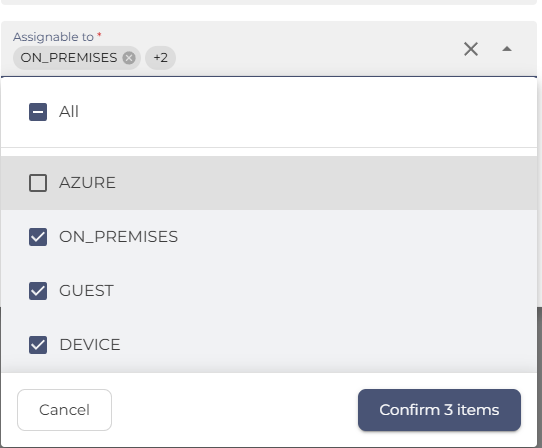
Autocomplete multi-select input
The autocomplete multi-select input was greatly improved to ease the use of multi-select. Users can now check and uncheck entries and use autocomplete to search for them in long lists. The all items choice might not always be displayed because the system does not fetch all items for security reasons.
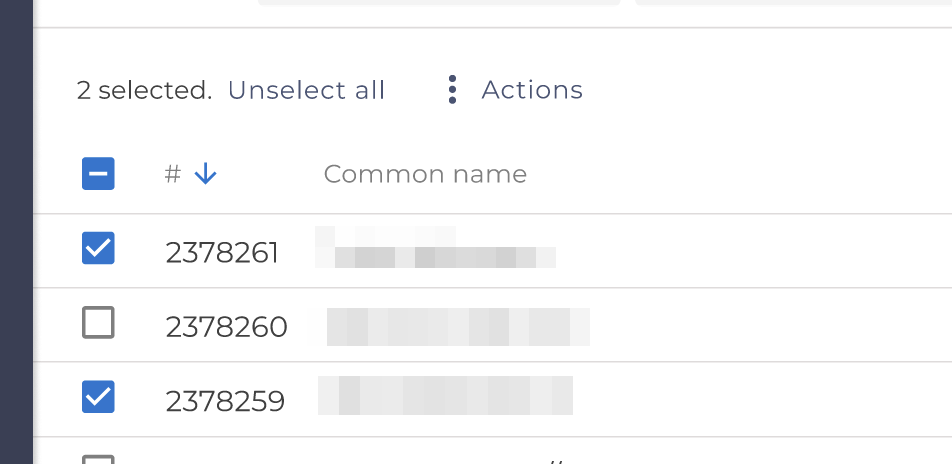
Unselect all from multiple pages
When the user has selected items on multiple pages in a table, an unselect button will show up to allow the user to unselect all.
User preference storage changes
We changed how the system stores user preferences, with most settings saved in the local storage. Column settings in the main tables, GUI Theme and bookmarks saved in the system.
List selection updates
List selections were changed to separate All and None selectors from the rest. Some lists were enriched with icons, for more intuitive orientation.
June 24, 2025

Verification Questions renamed to Security Questions
To comply with standards of industry and branding, we renamed the Verification questions to Security questions everywhere in the system.
User Interface Elements
More intuitive and easy way to wo